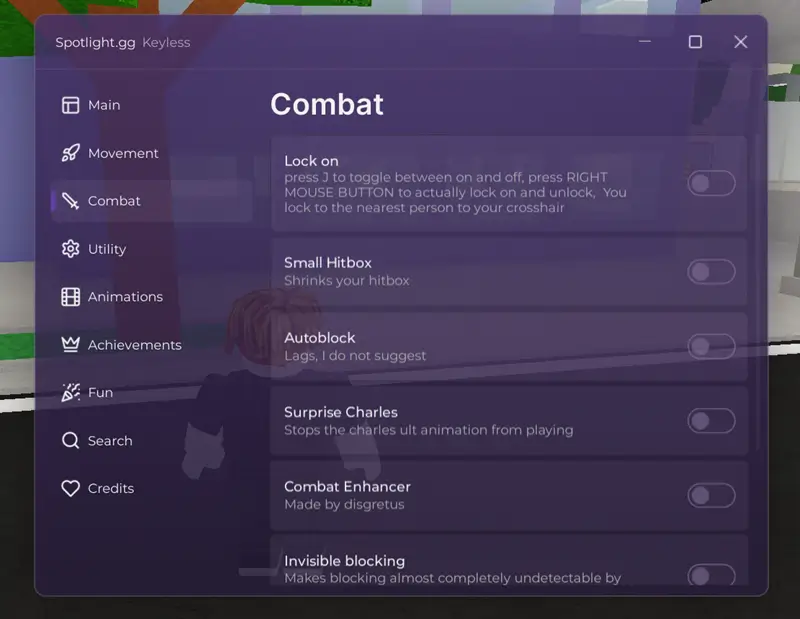

Repz Hub for Survive Homelander is a modern Roblox script built to enhance the overall gameplay experience with a clean interface and smooth performance. Designed using the popular Wind UI library, the script offers an organized menu system that works efficiently on both mobile and desktop executors.
This beta release focuses on stability, ease of use, and cross-platform compatibility. Unlike many cluttered scripts filled with unnecessary options, Repz Hub delivers a streamlined experience with responsive controls and a lightweight design that feels smooth during gameplay.
The script is completely keyless and can be launched quickly without dealing with lengthy verification systems or external key checkpoints.
Wind UI Experience
One of the standout features of Repz Hub is its polished Wind UI interface. The menu is designed to be user-friendly, making it easy to navigate settings and features without disrupting gameplay.
UI Highlights
- Modern Wind UI Design
- Mobile-Friendly Layout
- Responsive Controls
- Organized Categories
- Smooth Navigation
- Clean Visual Appearance
The interface automatically adapts to different screen sizes, providing a comfortable experience whether you're playing on a phone, tablet, or desktop computer.
Performance & Stability
Repz Hub has been optimized to maintain stable performance while running in the background. The lightweight structure helps reduce lag and minimizes the impact on game performance, even during longer play sessions.
Performance Benefits
- Lightweight Framework
- Low Resource Usage
- Stable Execution
- Fast Loading Times
- Mobile & PC Optimization
- Regular Compatibility Updates
These optimizations help ensure a smoother experience across a wide range of supported executors.
Compatibility
The script is designed to work on both mobile and PC environments and is commonly used with executors such as:
- Delta
- Hydrogen
- Wave
- Xeno
- Other supported executors
Compatibility may vary depending on executor updates and game patches.
Developer Information
- Developer: repzz
- Hub Name: Repz Hub
- Status: Beta Release
- Interface: Wind UI
How to Use
- Open a supported Roblox executor.
- Join Survive Homelander.
- Copy the script loadstring.
- Paste it into your executor.
- Execute the script.
- Open the Wind UI menu and configure the available options.
Features
- Keyless
- Wind UI
- Mobile Support
- PC Support
- Lightweight Design
- Smooth Interface
- Fast Execution
- Easy Navigation
- Beta Release
- Cross-Platform Compatibility
Repz Hub is a great choice for players looking for a clean, modern, and reliable script experience in Survive Homelander. With its lightweight design, Wind UI integration, and broad executor support, it provides a smooth and user-friendly experience across multiple devices.
![Night Hub [NO KEY] Blox Fruits Pastebin Script 2026](https://gag-scripts.com/wp-content/uploads/Blox-Fruits-Roblox-Game-Cover.webp)
![Grow a Garden Freeze Trade Script [Keyless] Working](https://gag-scripts.com/wp-content/uploads/Grow-a-Garden-Script.webp)
![Dueling Grounds Auto Parry Script [No-Key]](https://gag-scripts.com/wp-content/uploads/Auto-Parry-Script-Dueling-Grounds-No-Key.webp)
![Eltons Hub Ultimate Battlegrounds Script OP [Keyless]](https://gag-scripts.com/wp-content/uploads/Eltons-Hub-Ultimate-Battlegrounds-Script-OP.webp)
![Gravity Hub Script Blox Fruit [No Key] - Auto Farm Auto Candy](https://gag-scripts.com/wp-content/uploads/Blox-Fruits-Gravity-Script-Roblox.jpg)